

Deadline 1: September 30, 2026
If your abstract has been accepted, you must accept your presentation slot and proofread your submission before the deadline.
Follow these step-by-step instructions below to complete the process.
Deadline 2: October 9, 2026
The platform is now ready to receive your file, please check the instructions, and below:
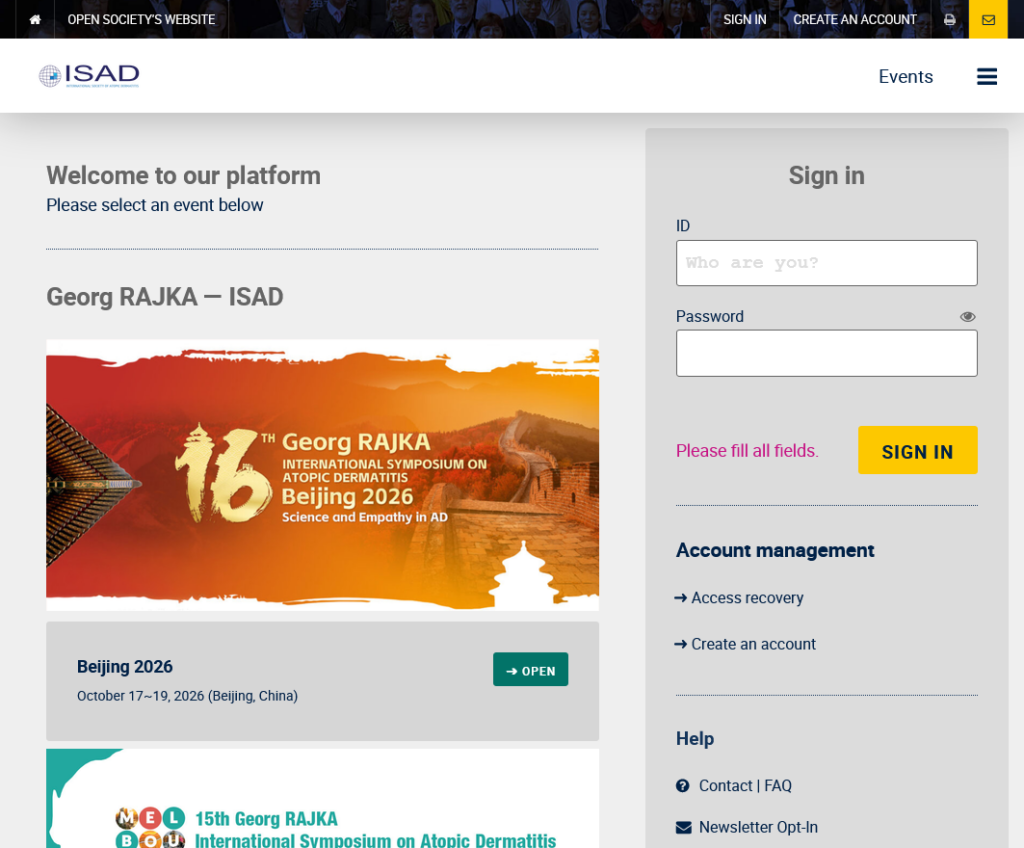
Step 1: Sign In
- Log in to platform.isad.org using the submitter’s account (note: this may differ from the presenter’s account).
- If needed, use the Access Recovery option to reset your password.
Step 2: Access Your Abstract
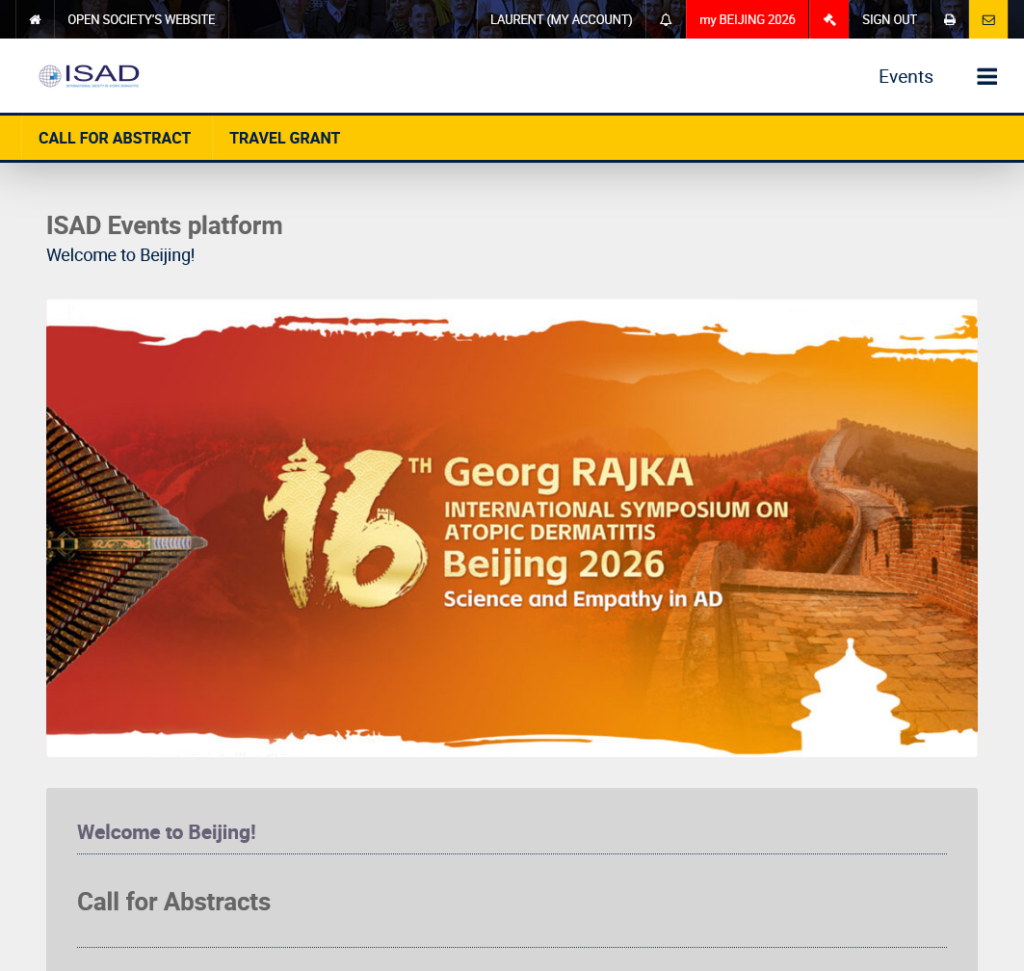
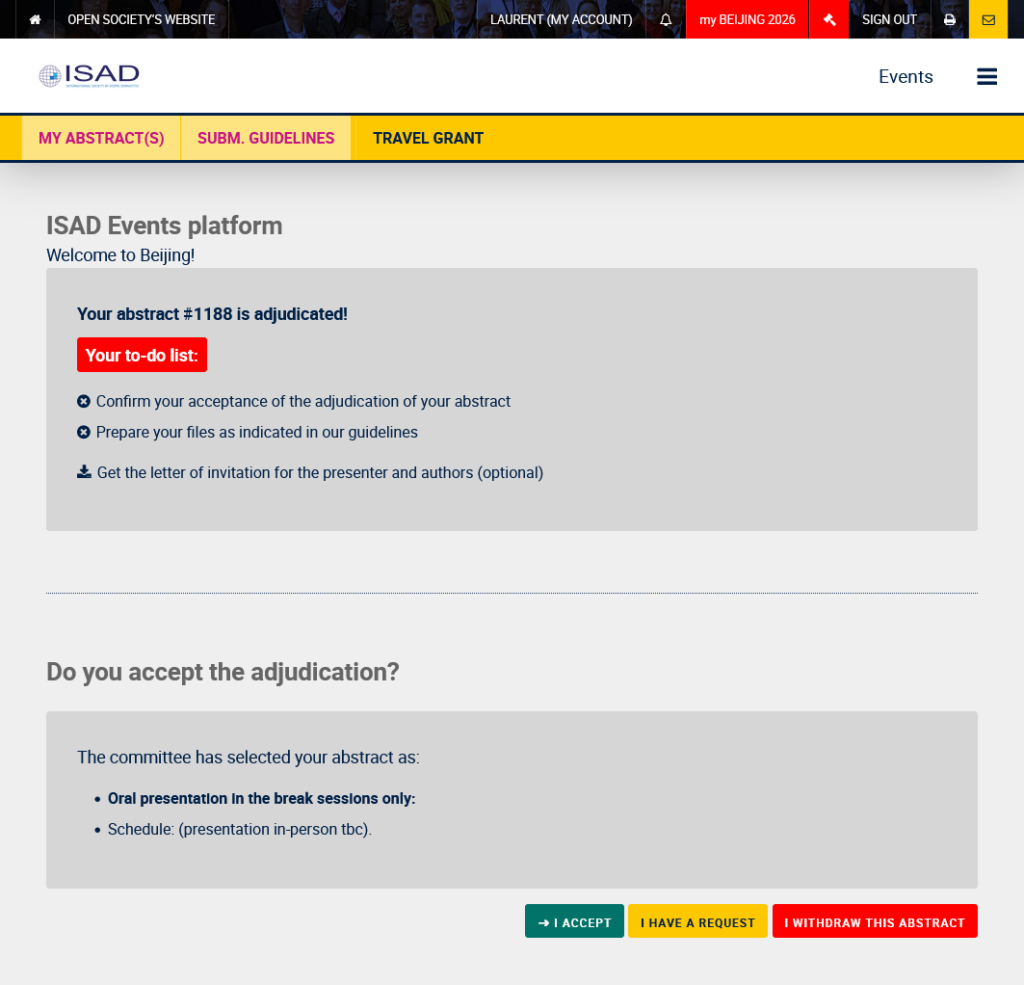
- Click the red “my BEIJING 2026” button at the top of the page.
Step 3: Complete the To-Do List
- Click your abstract title to open the submission page.
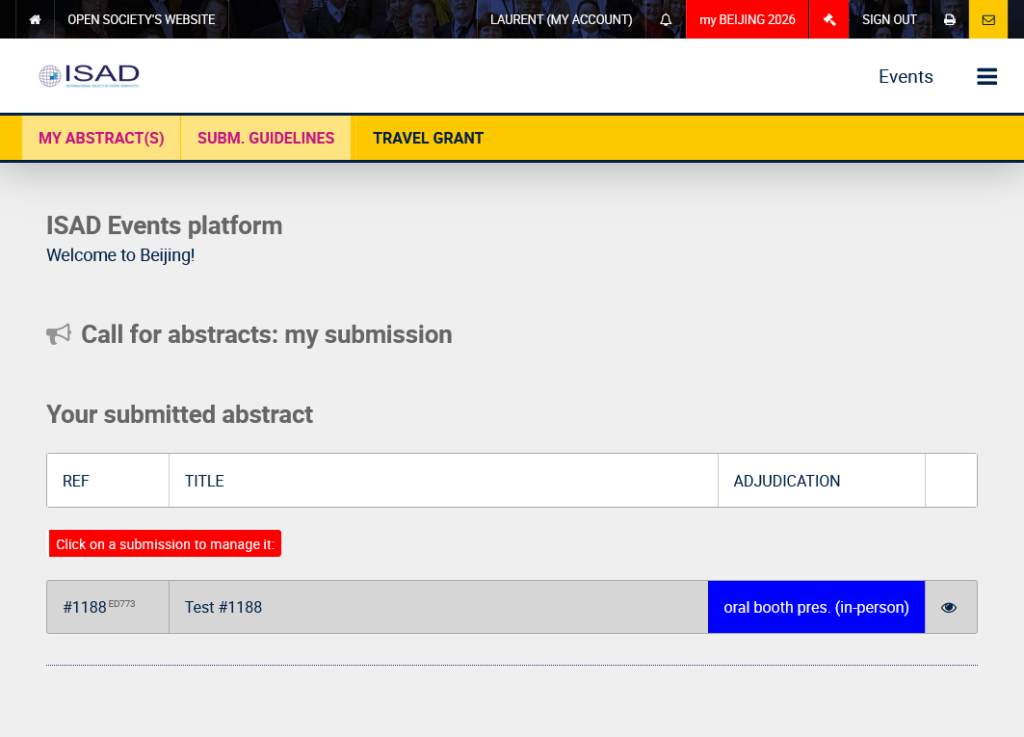
- Accept the Adjudication:
Confirm your acceptance of the presentation slot. - Poster Scheduling (if applicable):
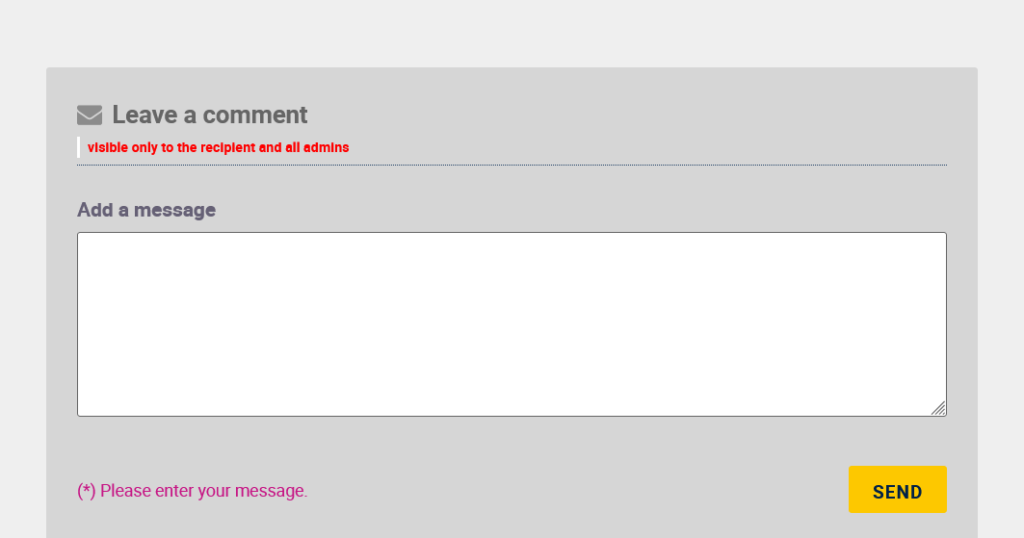
If your poster schedule is not displayed and you have limited availability, leave a comment ranking the 3 event days in order of preference (1 = most suitable, 3 = least suitable).
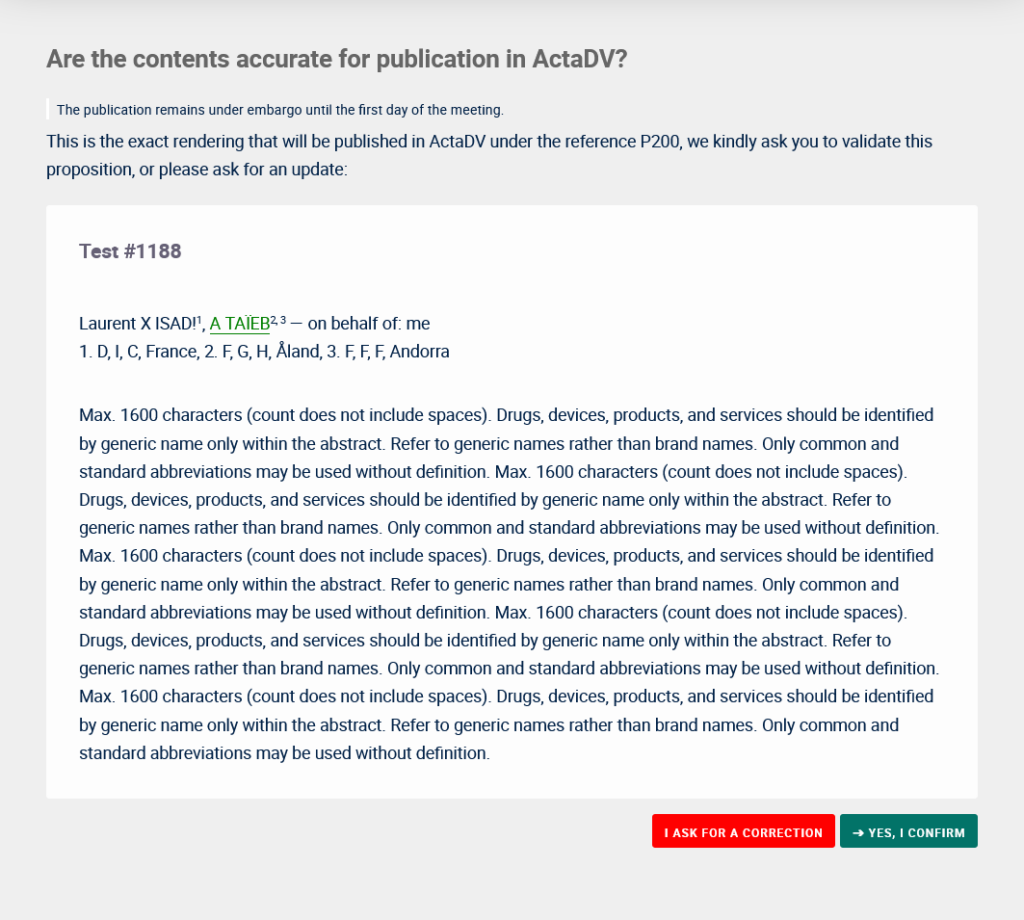
- Confirm Publication:
Finalize your submission by approving it for publication, or leave a comment if changes are required.
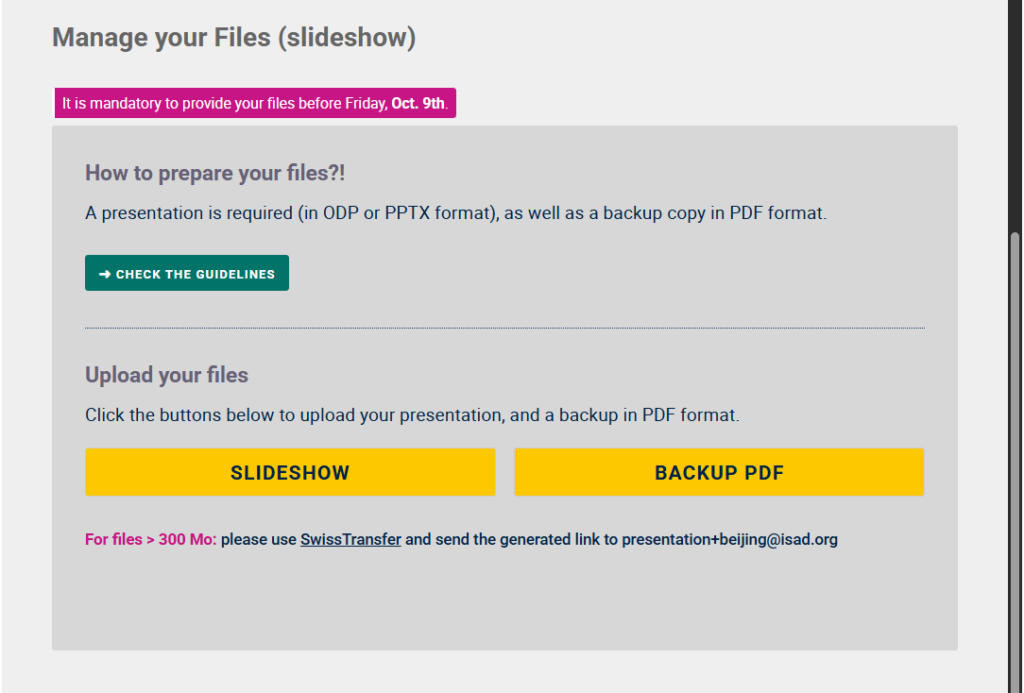
Step 4: Your Presentation
- Prepare and upload your 2 files:
Review the presentation guidelines and upload your materials before the deadline.
Bonus
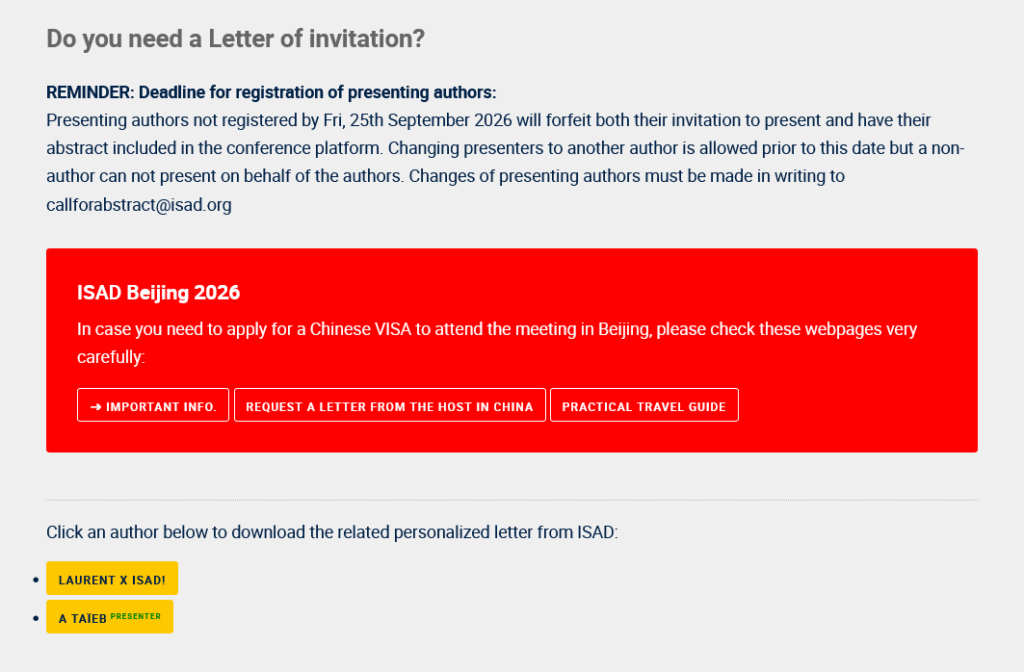
- Download your Invitation Letter:
If you need proof for leave or travel authorization, download the official Letter of Invitation from your dashboard. (Note: This letter is not suitable for Chinese visa applications).
Need help?
💡Use the Comments section at the bottom of your abstract page for the fastest response from our team.